


Flat: Music Score & Tab Editor
4.3276.00 Reviews
App Specs
- Version
- 26.08.01-21037
- Updated On
- License
- Free
- Downloads
- 1,000,000+
- Developer
- Tutteo Limited
- Categories
- Music & Audio
- Platform
- Android, iOS
Screenshots

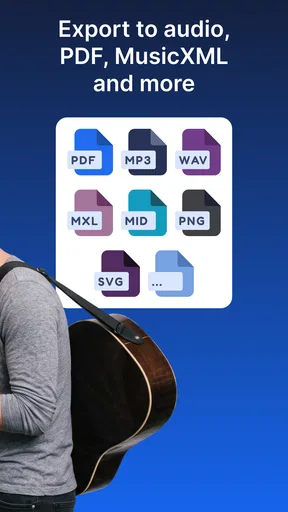
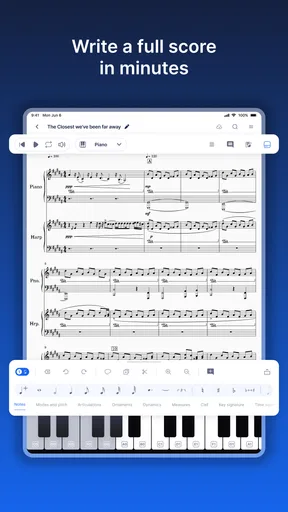
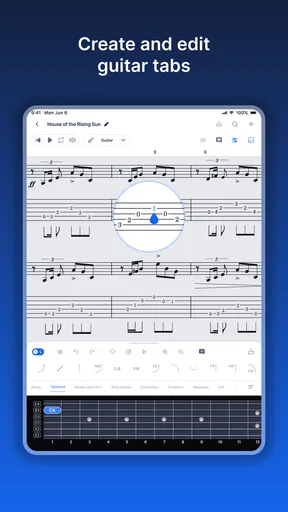
 Analysis by AppCompare
My first-week impression of Flat: Music Score & Tab Editor is that it makes a satisfying little bridge between hearing an idea and getting it onto a page. I can sketch a melody, check it by playing it back, and shape it into notation or a tab without first sitting down at a full desktop setup. That quick loop is the app’s real hook: it gives a musical thought somewhere useful to go before I forget it.
What keeps the first sessions engaging
Flat is a music-making app from Tutteo Limited, and its appeal is not limited to one kind of player. A guitarist can work in tab, while someone writing for traditional instruments can use staff notation. The ability to hear a draft is especially useful when I am unsure whether a phrase works on paper. Instead of repeatedly imagining the rhythm, I can listen, notice what feels awkward, and revise it.
That makes it a good fit for people who want to learn notation by doing, as well as for experienced musicians who need a quick place to capture a musical sketch. I would not treat the playback as a substitute for a live player’s interpretation; it is more like a practical check on notes and timing. Its value is that it helps me catch a wrong pitch or an unexpectedly clumsy passage early, while the idea is still easy to change.
A realistic routine, not just a novelty
Imagine I have a short break between errands and a bass line comes to mind. I can open the editor, enter a few bars, and listen back before heading out. Later, I can return to that draft on a larger screen if I want to make more careful changes. That small, repeatable workflow is more persuasive than the idea of composing an entire piece on a phone: the phone is handy for capturing and checking, while a desktop is often more comfortable for extended editing.
For a band, sharing a score can also make a rehearsal more focused. Rather than explaining a change verbally and hoping everyone remembers it, I can pass along the written part so players have the same reference. Collaboration is most useful when people are refining a specific arrangement together; for a one-off idea that nobody else needs to edit, sending a finished file through a familiar method may be simpler.
How it compares with other ways to write music
Compared with writing on manuscript paper, Flat gives me immediate playback and a more convenient way to revise a passage without erasing and rewriting it. Paper still wins when I want to jot freely, sketch shapes, or avoid looking at a screen. Compared with a full desktop notation program, Flat is easier to reach for a quick draft and has the advantage of working across devices, but a larger screen and dedicated controls can be more comfortable for a long, detail-heavy score.
It also occupies a different space from a recording app or a digital audio workstation. Those tools are better when the goal is to capture a performance, build a produced track, or shape sound in detail. Flat is for arranging musical ideas as readable notation or tablature. Choosing the right tool depends on whether I need a score other people can follow or an audio recording they can hear.
Worth Reading Before You Choose

Flipboard Shows What News Apps Must Do Beyond the Feed

Switching to Android Auto Means Rethinking Your Driving Routine

Google Calendar Makes a Crowded Week Easier to Manage

Ludo King Makes the Most of the Minutes Between Plans

Baby Panda World Brings Quick Play to Modern Phones, but Its Game Library Feels Busy

ESPN’s Live Game View Makes Following Close Games Easier
Who gets lasting value from it
I think Flat earns a regular place for students, songwriters, teachers, and small groups who revisit written music often. If I am preparing exercises, arranging a part, or collecting fragments for later, the editor can become part of a useful habit rather than a novelty. The free price makes trying that routine straightforward, while in-app purchases range from $9.99 to $299.00 per item, so I would check the options carefully before paying for anything and decide whether the added value matches how often I compose.
It is less compelling for someone who only wants to listen to music, record quick voice notes, or make a polished studio track. It may also feel like the wrong place to work if I rarely read notation or tab and do not want to learn the conventions. A score editor has a learning curve that a voice memo does not, and the freedom of a blank page can be less intimidating than entering notes into structured measures.
Getting Started with Flat
First off, setting up Flat: Music Score & Tab Editor is a breeze. I downloaded it from the app store, and within minutes, I was up and running. The interface is clean and intuitive, which is a big plus for anyone who doesn’t want to spend hours figuring out how to use a new app. Plus, the app’s design is visually appealing, making the creative process a joy rather than a chore.
Features that Hit the Right Note
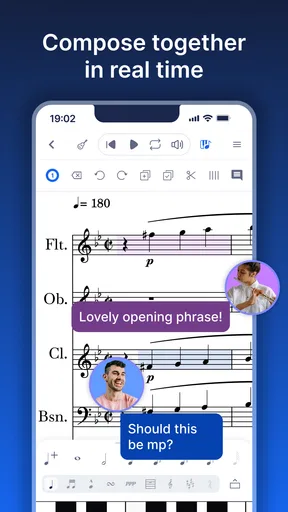
One of the standout features of Flat is its collaborative capabilities. You can easily share your scores with fellow musicians, making it perfect for bands or orchestras. I tried collaborating with a friend, and it was as simple as sharing a link. The real-time updates were a game-changer, allowing us to make adjustments on the fly without the hassle of sending files back and forth.
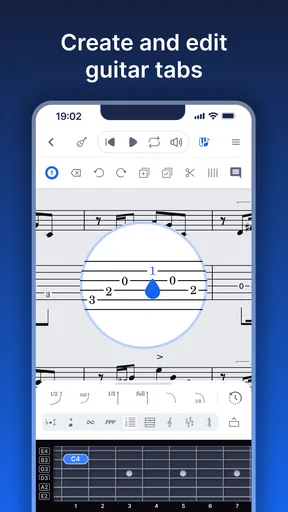
Another feature I love is the vast library of instruments. Whether you're into classical, jazz, or rock, you'll find the instruments you need. I particularly enjoyed experimenting with the different sounds, which sparked new ideas for my compositions. The app also supports tabs, so guitarists and bassists are in for a treat.
Compose Like a Pro
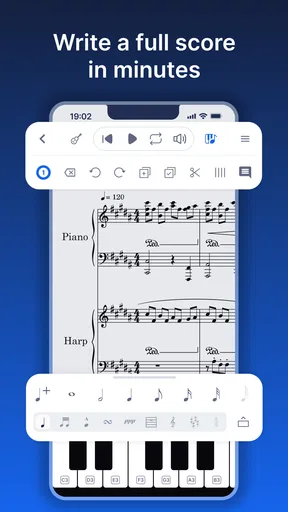
For anyone who’s serious about composing, the notation tools are incredibly robust. Flat offers everything from time signatures to dynamics and articulations. I found the drag-and-drop functionality very intuitive, allowing me to create complex scores without getting bogged down in technicalities. It’s like having a digital sheet of music that you can easily manipulate with a touch.
One feature that stood out to me was the playback option. Being able to hear what I’ve written instantly is invaluable. It’s like having a personal orchestra at your beck and call. This feature helped me fine-tune my compositions and made the whole process a lot more immersive.
Cross-Platform Perks
Flat isn’t just confined to your phone or tablet; it’s also available on the web. This cross-platform capability means you can start composing on your phone during your morning commute and pick up where you left off on your desktop at home. As someone who’s constantly on the go, I found this feature incredibly convenient.
Community and Support
The Flat community is vibrant and supportive. Whether you’re a newbie or a seasoned composer, you’ll find a network of users ready to offer advice and feedback. I appreciated the active forums where users share tips and tricks, helping each other get the most out of the app.
Whenever I had a question, the support team was quick to respond, which is always reassuring when dealing with any app. Knowing there’s a team ready to help makes the user experience much more enjoyable.
What may wear thin
The same structure that makes notation reliable can slow down casual experimentation. A quick tune hummed into a phone is effortless; entering it accurately means thinking about pitch, rhythm, and where each note belongs. I would keep a voice memo app nearby for ideas that are still vague, then use Flat once I can identify the notes or want to turn the rough thought into a playable part.
Screen size matters too. A compact display is fine for short lines and corrections, but dense notation asks for more attention, and tapping tiny targets can interrupt the flow. My practical tip is to treat mobile editing as a capture-and-review stage, then move longer sessions to the web version when possible. That division of labor makes the app feel more like a useful companion than a cramped replacement for every music tool.
There is also a difference between a score that plays back correctly and an arrangement that feels convincing to musicians. Playback can expose a mistaken note or a rhythm that does not land as intended, but it cannot make every performance choice for the group. I would use it to check the written material, then listen to real players before calling an arrangement finished.
Value over the months
Flat has a 4.3 average from around 4.4 thousand ratings, with about 228 written reviews and more than 500 thousand installs. Those figures suggest a sizeable audience, but the better test for me is whether I return to the editor after the initial curiosity fades. If I regularly write, teach, study, or share parts, playback and editable notation offer recurring value. If I only compose once in a while, the app can still be useful, but it may not become an everyday tool.
It is free to start, rated for Everyone, and its current version is 26.02.03-18310. It runs on Android 7.0 or later. Those details make it accessible to a broad range of Android users, while the web option gives the workflow another place to continue. In-app purchases are a reason to be deliberate: I would begin with the free experience, identify a specific limitation I keep hitting, and only then decide whether a paid item solves a recurring problem rather than a passing curiosity.
For long-term use, I would also build a simple filing habit. Give drafts names that describe the song or part, and separate finished arrangements from fragments you may never revisit. That small bit of housekeeping matters because a score editor becomes more valuable when old ideas are easy to find. If I leave every experiment as an unnamed draft, the library can turn into clutter and the app’s promise of a dependable musical notebook weakens.
Long-term verdict
Flat is worth keeping installed if written music is part of how I work. Its combination of notation, tablature, playback, sharing, and access across mobile and web makes it a practical home for drafts that need to become readable parts. I would recommend it to a friend who wants to compose or collaborate without being tied to a desktop from the first note.
I would not recommend it as a universal music app. For recording, production, or unstructured idea capture, a different tool is a better match; for extensive score engraving, a desktop editor may be more comfortable. But for the recurring task of turning musical ideas into editable notation that can be heard and shared, Flat has a clear purpose. I would keep it because it supports a habit, not because a first session happens to feel impressive.
Pros
- User-friendly interface for beginners.
- Wide range of musical instruments available.
- Real-time collaboration feature.
- Cross-platform compatibility.
- High-quality sound samples.
Cons
- Limited offline functionality.
- Occasional sync issues with collaborators.
- Some advanced features require subscription.
- Mobile app lacks certain desktop features.
- Can be resource-intensive on older devices.
FAQs for Flat: Music Score & Tab Editor
What features does Flat: Music Score & Tab Editor offer for music composition?
Flat: Music Score & Tab Editor provides a comprehensive suite of tools for music composition, including real-time collaboration, a wide range of instruments, customizable sheet music templates, and easy sharing options. The app supports both music notation and guitar tablature, making it versatile for composers and musicians alike. Users can also integrate with platforms like Google Classroom for educational purposes.
Is Flat: Music Score & Tab Editor user-friendly for beginners?
Absolutely. Flat: Music Score & Tab Editor is designed with an intuitive interface that makes it accessible for beginners. It offers tutorials and a supportive community to help new users get started. With drag-and-drop functionality and simple editing tools, even those new to music composition can create and edit scores with ease.
Can I use Flat: Music Score & Tab Editor offline?
Flat is primarily a web-based application that requires an internet connection for full functionality, including collaboration and cloud storage. However, there is an option to work offline with the Flat for Education version, which allows users to download their work and continue editing without an internet connection. Remember to sync your work once you’re back online.
What platforms is Flat: Music Score & Tab Editor available on?
Flat: Music Score & Tab Editor is available on multiple platforms, including web browsers, iOS, and Android devices. This cross-platform compatibility ensures that users can access their music scores and tabs from any device, whether they're on a desktop, tablet, or smartphone. The app's seamless integration across devices makes it convenient for users on the go.
How does the collaboration feature work in Flat: Music Score & Tab Editor?
The collaboration feature in Flat allows multiple users to work on the same music score simultaneously. Users can invite collaborators via email, and all changes are updated in real-time, much like a Google Doc. This feature is particularly useful for teams of composers or educators working with students, as it facilitates instant feedback and collaborative creativity.


